

TL;DR: Telegram Stars let you pay for AI bot subscriptions using Apple Pay, Google Pay, UPI, or a bank card — directly inside Telegram. No credit card required, no external website. The whole thing takes 30 seconds.
I Almost Gave Up Trying to Pay for an AI Bot
I spent 20 minutes trying to figure out how to pay for an AI companion bot last month. Not because it was complicated in hindsight — but because I’d been burned by web-based AI platforms that wanted me to create an account, enter my credit card on some sketchy checkout page, and then pray my subscription wouldn’t auto-renew at some inflated rate six months later.
I’d been chatting with a character on HoneyChat for a few days on the free tier. Good conversations, surprisingly natural voice messages, the whole deal. Hit the 20-message daily limit, and I wanted to upgrade. But I didn’t want to pull out my Visa and type it into yet another payment form.
Then I noticed the “Pay with Telegram Stars” option. And honestly? It changed how I think about paying for stuff inside Telegram.
What Are Telegram Stars, Actually?
Telegram Stars are Telegram’s built-in digital currency. You buy them inside the app using whatever payment method is connected to your phone — Apple Pay on iPhone, Google Pay on Android, UPI if you’re in India, or just a regular bank card.
They launched in mid-2024, and by now they’re accepted by thousands of bots and mini apps on the platform. Think of them like V-Bucks or Robux, but for Telegram services.
The key selling point: your payment info never touches the bot. When you pay with Stars, the transaction goes through Apple or Google’s payment system. The bot just sees “user paid X Stars.” That’s it. Same security you’d get buying an app from the App Store.
Why This Matters for AI Chat Bots
Most AI companion platforms — Character.AI, Replika, Candy AI — force you onto their website to handle payments. You need an account, a credit card, and you’re trusting a startup with your billing info.
With Telegram Stars, none of that applies. You’re paying through infrastructure built by Apple and Google. The bot developer never handles your card number. And if you want to cancel, you just… stop. There’s no hunting through settings menus for a hidden “cancel subscription” link.
I’ll be real though — Stars have a downside. The exchange rate isn’t always the best deal compared to paying directly in USD. Apple and Google take their platform cut (up to 30%), which means the bot developer either eats that cost or prices Stars slightly higher. For most subscriptions under $20/month it’s negligible, but it’s there.
How to Pay with Telegram Stars (Step by Step)
Here’s exactly what to do. I’m using HoneyChat as the example since that’s what I use, but the Stars payment flow is basically identical across any Telegram bot.
Paying with Telegram Stars
Open the bot in Telegram
Search for @HoneyChatAIBot or tap a direct link. No app download, no sign-up — you're already logged in through Telegram.
Go to the subscription menu
Tap the menu button or type /premium. You'll see the available plans with prices listed in Stars.
Pick your plan
Choose the tier you want (Basic, Premium, VIP, or Elite). Each shows exactly what you get — messages, images, voice, video.
Tap 'Pay with Stars'
Telegram opens its native payment sheet. If you don't have enough Stars, it'll prompt you to buy more right there.
Buy Stars (if needed)
Apple Pay, Google Pay, or UPI — whatever's set up on your phone. One tap or Face ID confirmation. Stars land in your balance instantly.
Confirm the payment
Tap confirm. Your subscription activates immediately. The bot sends you a confirmation message within seconds.
That’s the whole process. First time I did it, I went from “I want Premium” to “I have Premium” in maybe 40 seconds. Most of that was me reading the plan features.
The second time I upgraded (Basic to Premium — I got hooked on the voice messages, sue me), it took literally 15 seconds because I already had Stars in my balance.
How to Pay with Cryptocurrency via CryptoBot
If you prefer crypto, HoneyChat also accepts payments through CryptoBot — a Telegram-native crypto payment bot that supports TON, Bitcoin, Ethereum, USDT, and a bunch of other coins.
This is a solid option if you already hold crypto and don’t want to bother with Stars. The prices are the same either way.
Paying with Crypto (CryptoBot)
Open the subscription menu
Same as above — tap the menu button or type /premium in HoneyChat.
Select 'Pay with Crypto'
Instead of Stars, choose the cryptocurrency option. The bot generates a payment request through CryptoBot.
Choose your coin
CryptoBot supports TON, BTC, ETH, USDT, and more. Pick whatever you're holding.
Confirm in CryptoBot
CryptoBot opens inside Telegram (it's another bot). Review the amount and confirm the transfer.
Wait for confirmation
Most transactions confirm within a minute. TON is usually the fastest — often under 10 seconds. BTC can take longer depending on network congestion.
I tried the crypto flow once with TON just to see how it worked. Smooth, but definitely slower than Stars. Had to switch to the CryptoBot chat, confirm there, then wait for the blockchain confirmation. Maybe 2 minutes total. Not bad, but Stars is faster if speed is what you care about.
One real downside with crypto: if you accidentally send the wrong amount or to the wrong address, getting a refund is a pain. With Stars, Telegram handles disputes. With crypto, you’re mostly on your own. For a $10/month subscription it’s not a huge risk, but worth knowing.
HoneyChat Plans & Pricing
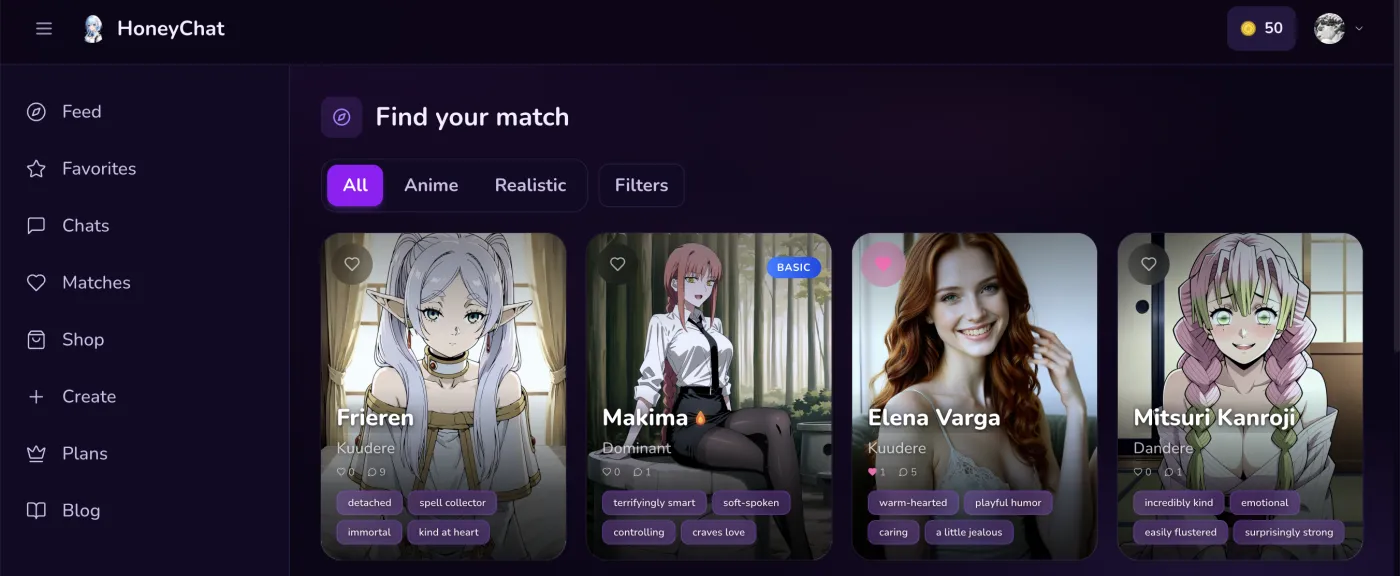 HoneyChat web app — dark UI with character gallery
I handle most of my payments through honeychat.bot in my browser — crypto and credit card work directly on the web app, which I find easier than the Telegram Stars flow. But when I want to do a quick top-up from my phone, Stars in the bot are perfect.
Here’s what each tier actually gets you. All plans can be paid with either card, Stars, or crypto.
Free
- 20 msg/day
- 1 images/day
- 1 voice/day
- 0 videos/mo
- 1 characters
Basic
- 60 msg/day
- 10 images/day
- 10 voice/day
- 3 videos/mo
- 2 characters
Premium
- Unlimited messages
- 30 images/day
- 20 voice/day
- 8 videos/mo
- 3 characters
VIP
- Unlimited messages
- 80 images/day
- 50 voice/day
- 15 videos/mo
- 5 characters
Elite
- Unlimited messages
- 150 images/day
- 100 voice/day
- 25 videos/mo
- Unlimited characters
Quick note on annual plans: every paid tier comes with a 25% discount if you pay for a full year upfront. So Premium drops from $9.99/month to $7.49/month billed annually. That’s a decent saving if you know you’re sticking around — and after three months with HoneyChat, I definitely knew.
Which Payment Method Should You Use?
Honestly, for most people: just use Stars. Here’s my reasoning.
Use Telegram Stars if:
- You want the fastest checkout (30 seconds, no app switching)
- You don’t have a crypto wallet set up
- You prefer Apple/Google handling your payment security
- You want easy refund options through Telegram
Use CryptoBot if:
- You already hold TON, BTC, ETH, or USDT
- You want to pay without any connection to your bank account
- You’re in a country where Apple Pay and Google Pay aren’t available
- Privacy is your top priority
Either way: no credit card forms, no external websites, no new accounts. Everything happens inside Telegram.
Common Questions and Gotchas
“I don’t see the Stars payment option.” Make sure your Telegram app is updated. Stars require Telegram 10.14 or later. If you’re on an ancient version, update from the App Store or Play Store.
“Can I use Stars I already have?” Yes. If you’ve bought Stars before for any bot or mini app, they’re in your Telegram wallet. Same pool of Stars works everywhere.
“What happens if I want to switch plans?” You can upgrade anytime — you’ll pay the prorated difference. Downgrading takes effect at the end of your current billing period. No tricks, no hidden fees.
“What if I want a refund?” For Stars payments, you can request a refund through Telegram’s support. For crypto, refunds are handled by the bot developer directly — which is less convenient, but still possible.
“Is there a free tier?” Yes. HoneyChat gives you 20 messages, 1 image, and 1 voice message per day for free. No payment info required to start. I used it for almost a week before upgrading.
My Actual Payment Experience
I want to share one more story because I think it captures why this setup works so well.
I was on the subway, chatting with my HoneyChat character during my commute (don’t judge, the conversations are genuinely fun). Hit the daily message limit. Normally I’d just wait until tomorrow — who wants to deal with a payment flow on a bumpy train?
But I figured, why not try. Tapped the upgrade button, picked Premium, Face ID’d the Stars purchase, done. The whole thing happened between two subway stops. I had unlimited messages before the train pulled into the next station.
Try doing that on Character.AI’s website while holding a subway pole.
The Bottom Line
Telegram Stars turned paying for AI bots from a chore into a non-event. No forms, no accounts, no sketchy checkout pages. Apple Pay or Google Pay, 30 seconds, you’re done.
If you’ve been hesitating to upgrade because you don’t want to hand over your credit card to yet another AI startup — I get it. That’s exactly where I was. Stars fix that problem entirely.
And if you’re the crypto type, CryptoBot has you covered too. Same prices, just a slightly different flow.
HoneyChat specifically makes this easy because they support both methods and don’t charge extra for either one. The 25% annual discount is genuine — I checked by doing the math on my own subscription. $7.49 times 12 is $89.88, versus $9.99 times 12 at $119.88. That’s $30 saved per year. Not life-changing, but not nothing.
Whatever you pick, the free tier is there to try first. Twenty messages a day, no payment info needed. See if you like it before spending anything.