Short answer: Use markdown syntax . Upload your image to Imgur or Catbox first, then paste the direct URL. JanitorAI doesn’t host images natively. For AI-generated images per scene without uploading anything, HoneyChat has built-in per-character LoRA image generation — 3 photos/day free, 30/day on Premium ($9.99/mo).
Want AI images that generate automatically in chat, no upload, consistent character face? Open below.
Native AI image generation in HoneyChat
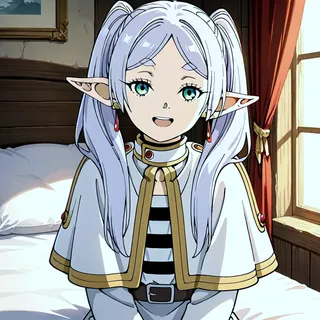
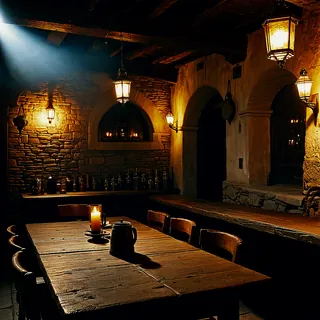
Quick options
- Want to embed pre-uploaded images in JanitorAI → Use markdown + Imgur/Catbox URL
- Want AI to generate images per scene automatically → HoneyChat ($4.99/mo, native gen)
- Want polished web with photo + AI video → Candy AI ($12.99/mo)
- Want NSFW image gen + companion → OurDream AI ($9.99/mo)
JanitorAI is a character chat platform, not an image generator. The platform’s design is “you bring the LLM (BYOK), we provide the character infrastructure.” Images in JanitorAI are pre-uploaded URLs you embed using markdown syntax — they’re static, not generated.
If you want AI-generated images that change per scene (your character sending a selfie after you chat about something), JanitorAI doesn’t do that natively. Let me walk through both paths.
Step-by-Step: Embed an Image in JanitorAI
Prepare your image
Have a .jpg, .png, .webp, or .gif file under 5MB. Higher quality = better but slower to load.
Upload to image host
Best options: imgur.com (free, reliable), catbox.moe (no signup, NSFW-friendly), postimg.cc. Avoid Discord CDN (URLs expire after a while).
Get the DIRECT image URL
After upload, copy the URL ending in .jpg/.png/.webp. Test by pasting in new tab — should show only image, not a webpage.
Verify HTTPS
URL must start with https:// — JanitorAI rejects HTTP for security. Most image hosts default to HTTPS now.
Add markdown to JanitorAI
In character first message field: . Save the character.
What Image Hosting Works (and What Doesn’t)
Works reliably:
- Imgur — free, fast, direct links via
i.imgur.com/[hash].jpg. Account optional. Most reliable. - Catbox.moe — no signup, drag-and-drop, NSFW-friendly. URLs via
files.catbox.moe/[hash].jpg. - Postimages — free with optional account. URLs via
i.postimg.cc/[path].jpg. - ImgBB — free, embed-friendly. URLs via
i.ibb.co/[path].jpg.
Doesn’t work well:
- Discord CDN — URLs from Discord attachments expire (CDN tokens rotate). Image breaks within days.
- Google Drive direct links — drive.google.com URLs require auth, don’t render in JanitorAI.
- Dropbox direct links — similar issue, mostly broken.
- Twitter/X image URLs — heavy hotlink protection.
For NSFW first messages, Catbox.moe is the standard choice. Imgur’s policy on NSFW is complicated — sometimes works, sometimes flagged.
Markdown Syntax Examples
Single image in first message:
*She walks into the room and smiles at you.*

"Hey, I was wondering when you'd show up."Multiple images (introduction collage):
Image with alt text for accessibility:
With surrounding narrative:
The door swings open and Sarah peeks her head in.

"Oh, you're awake! I was just about to wake you up."Why Images Don’t Load (Troubleshooting)
If your embedded image doesn’t render in JanitorAI:
1. URL is not direct
Wrong: https://imgur.com/gallery/abc123 (page, not image)
Right: https://i.imgur.com/abc123.jpg (direct file)
Fix: open the original image in a new tab on the host site, right-click “Copy image address”, use that URL.
2. URL is HTTP not HTTPS
Wrong: http://example.com/image.jpg
Right: https://example.com/image.jpg
Fix: change http:// to https://. If the host doesn’t support HTTPS, switch hosts.
3. Hotlink blocked
Some image hosts (Pinterest, Instagram, Twitter) block external embedding. The image loads in their site but not when JanitorAI tries to render it.
Fix: download the image, re-upload to Imgur or Catbox, use new URL.
4. File too large
Practical limit is around 5MB. Larger files may not render or load extremely slowly.
Fix: compress the image (tinypng.com, squoosh.app), then re-upload.
5. Markdown syntax error
Wrong: ![ alt ] ( url ) (spaces around brackets)
Right:  (no spaces)
Wrong: ! [alt](url) (space between ! and [)
Right: 
Fix: ensure no spaces between the markdown symbols.
6. NSFW content auto-removed by host
Imgur sometimes auto-removes NSFW after upload. The URL initially works, then breaks days later.
Fix: use Catbox.moe for NSFW images — more permissive policy.
When You Want AI-Generated Images Instead
The fundamental limitation of JanitorAI’s image approach: images are static. You upload one version, the character shows that one version every time. There’s no “the character sends you a new selfie based on what we just discussed.”
For dynamic per-scene image generation:
HoneyChat generates images in chat using per-character LoRA. Each generation is a new image, but the character’s face and body stay consistent because of LoRA training. NSFW images are tier-gated by content level (0-5). 3 photos/day free, scaling up to 150/day on Elite tier.
Candy AI generates photos tied to character presets. Quality is high, less LoRA-consistent than HoneyChat but still good. Web only, $12.99/mo base.
OurDream AI similar — character-tied photo gen at $9.99/mo.
The difference from JanitorAI is that on these platforms, images are part of the conversation flow rather than static embeds. Your AI girlfriend can “send a selfie” that’s actually a fresh generation matching context.
JanitorAI image embed vs native AI image gen
| JanitorAI + Markdown | HoneyChat | Candy AI | OurDream AI | |
|---|---|---|---|---|
| Image type | Static embed | Generated per scene | Generated per scene | Generated per scene |
| Character consistency | Same image every time | Per-character LoRA | Preset-based | Preset-based |
| Setup | Upload + markdown | None (built-in) | None (built-in) | None (built-in) |
| Scene-context aware | No | Yes (LLM prompts gen) | Yes (limited) | Yes (limited) |
| Daily image limits | Unlimited embed | 3 free, 30 Premium | 20 Base, unlimited Premium | Plan-dependent |
| NSFW images | Pre-uploaded only | Tier-gated 0-5 levels | Yes on paid | Yes on paid |
| Cost | Free (BYOK LLM cost) | $4.99-$39.99/mo | $12.99-$39.99/mo | $9.99/mo+ |
If you want AI image gen automatically in chat — no upload, no markdown, no static images — start below.
Pre-Generated Image Strategies for JanitorAI
If you’re staying on JanitorAI and using static embeds, here are the strategies users employ:
1. Multi-pose character intro — embed 2-4 images at the first message showing different angles or expressions of your character. Establishes visual identity strongly.
2. Scenario-themed images — for character configs with specific roleplay scenarios (vacation, gym, work), pre-upload images matching the scenario and embed in first message.
3. Character + setting combo — wide-angle landscape image of the setting alongside the character close-up. Establishes location.
4. Outfit variations — for long roleplay arcs, upload variants of the character in different outfits/situations. Edit the character config periodically to swap which image shows in first message.
5. NSFW preview gating — start with safe-for-public first message image, escalate to NSFW after consent in conversation. Pre-upload both, edit character to swap as scene progresses.
These all work within JanitorAI’s static-embed model. They don’t replicate the dynamic generation of HoneyChat or Candy AI.
What I’d Recommend
If you want to stay on JanitorAI: Catbox.moe + markdown syntax for the most reliable image embedding, including NSFW. Standard markdown .
If you want dynamic AI image gen in chat: HoneyChat Basic ($4.99/mo, 10 photos/day) or Premium ($9.99/mo, 30/day). Free tier (3 photos/day) lets you evaluate.
If you want polished photo + AI video: Candy AI at $12.99/mo Base or $24.99 Premium for unlimited photos + video.
If image gen is the only reason you’re considering switching from JanitorAI: try HoneyChat’s free tier for a day. You’ll see whether dynamic generation matters to you. If it doesn’t, stick with JanitorAI + markdown.
I covered the broader JanitorAI setup in JanitorAI API key with OpenRouter, the LLM selection in Best free LLM for JanitorAI, and the voice option in How to have JanitorAI speak to me.
Sources & References
- JanitorAI official site (verified 2026-05-29)
- Imgur direct image links docs (cited)
- Catbox.moe upload guide (cited)
- CommonMark image markdown spec (markdown reference)
- Internal testing: image embed reliability across Imgur, Catbox, ImgBB on JanitorAI, April–May 2026