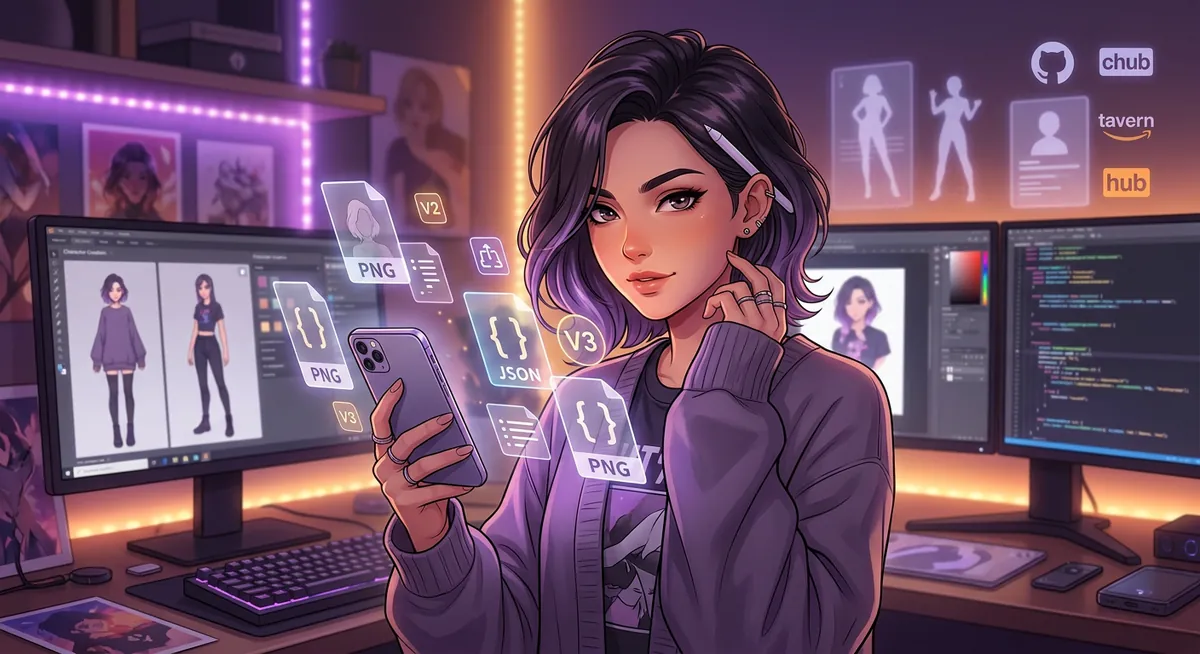
If you’ve spent any time in the SillyTavern / RisuAI / Agnai corner of the AI roleplay scene, you’ve seen people drop a PNG file into a chat and a character magically loads — full personality, scenario, greeting and example dialogue, all from one image. That’s a character card, and it’s the closest thing the open-source AI roleplay community has to a standard exchange format. This guide covers what they are technically, how the V2 and V3 specs differ in 2026, where to download cards safely, how each major client handles them, and an honest comparison against the alternative — pre-curated catalogs like HoneyChat where there’s no import flow but every character ships with LoRA-trained art and voice out of the box.
Short version up front: if you want maximum control and a million community characters, cards are still the right answer — SillyTavern + chub.ai is the workflow. If you want finished features without setup (voice in 15 languages, consistent LoRA visuals, semantic memory, regional payments), a curated catalog like HoneyChat is the easier path, with the explicit trade-off that you can’t import outside characters. Both legitimate paths, different users.
HoneyChat pre-curated characters — each with LoRA-trained art




What is an AI Character Card? (Technical Format)
A character card is a PNG image file with JSON metadata embedded in the PNG’s tEXt chunk — a standard PNG feature for text metadata defined in the PNG specification. The image is the character’s avatar (what you see in your chat client’s sidebar); the JSON contains everything else: the name, personality, scenario, greeting and example dialogue that the model uses to roleplay the character.
The portability comes from the format being self-contained: drag the PNG into SillyTavern, RisuAI or Agnai, and the client reads the embedded JSON automatically. No separate JSON file to keep track of, no copy-paste between fields. The image acts as both avatar and definition file — one artifact, one share.
There are two active specs in 2026:
- V2 spec (
chara_card_v2): the 2023 baseline maintained by the community. The PNG tEXt chunk uses the keywordcharaand contains a base64-encoded JSON payload. The full V2 field list: name, description, personality, scenario, first_mes, mes_example, system_prompt, post_history_instructions, alternate_greetings, tags, creator, creator_notes, character_version, character_book (an embedded lorebook), and extensions. Source: GitHub malfoyslastname/character-card-spec-v2. - V3 spec (
chara_card_v3): proposed by kwaroran around May 2026. Uses a separateccv3chunk with base64 UTF-8 JSON. Adds a native lorebook structure (instead of the V2 embedded-string approach), multi-language asset support and richer creator metadata. Source: GitHub kwaroran/character-card-spec-v3.
In practice SillyTavern writes both chunks into exported PNGs, so a single file works in old and new clients without manual conversion. That’s the right approach until V3 has full multi-client coverage.
V2 vs V3 — What Changed in 2026
The most visible V2→V3 changes for everyday users:
Character card V2 vs V3 — quick spec diff
| V2 (chara_card_v2) | V3 (chara_card_v3) | |
|---|---|---|
| PNG tEXt keyword | chara | ccv3 (separate chunk) |
| Encoding | base64 JSON | base64 UTF-8 JSON |
| Native lorebook | character_book field (string) | structured native object |
| Multi-language assets | No | Yes (per-locale fields) |
| Creator metadata | creator + creator_notes | Extended (links, version log) |
| SillyTavern support | Full read/write | Full read/write |
| RisuAI support | Full | Partial — some fields |
| Agnai support | Native | Some field-loss |
| Backward compat | Universal baseline | ST exports both V2+V3 chunks |
| Spec status | Stable (2023) | Active (~May 2026) |
Practical interpretation: V2 is still the safe baseline for distribution because every major client reads it. V3 is the right target for new cards that need a real lorebook or multi-language scenarios — but only if your audience uses SillyTavern, which has the most complete V3 implementation. If you’re publishing on chub.ai for a mixed audience, export with both chunks (SillyTavern’s default).
Top 5 Places to Download Cards
The repository landscape changed significantly between 2023 and 2026 — the original Booru.plus shut down, characterhub.com went through ownership changes, several niche sites disappeared. The 2026 active list is consolidating around five places:
1. chub.ai (= CharacterHub.org, same project)
chub.ai is the de-facto default destination for character card downloads in 2026. The site is also accessible at CharacterHub.org — same project, two URLs. It was founded by a pseudonymous user known as “Lore” and was explicitly built as a Character.AI alternative, picking up users who wanted their characters portable. Free public catalog, with a Patron-tier paywall for some explicit NSFW content. Search, tag filters and version history per card are all there. The trade-off is community-driven quality: you’ll find polished cards from veteran creators next to half-finished experiments on the same page. We’re not citing a founding year because it’s not publicly disclosed.
2. character-tavern.com
A standalone web platform, not a SillyTavern alias despite the name overlap. character-tavern.com has on-site chat in addition to card downloads, which is useful if you want to test a card’s personality before downloading. The site claims a 17.1K+ card library — that’s their self-reported number, and as with any self-reported stat we’d treat it as “the site claims X” rather than verified fact. Different brand from the open-source SillyTavern client.
3. aicharactercards.com
A SillyTavern-focused directory. Smaller selection than chub.ai but better-tagged and more curated. Useful when you don’t want to wade through an infinite feed and prefer recommended picks. Good first stop for users new to cards who want quality over quantity.
4. Backyard AI library (formerly Faraday)
Backyard AI is a desktop app (Windows/Mac/Linux) with its own bundled character library. Cards download into the app rather than as standalone PNG files, so portability to SillyTavern is limited compared to chub.ai downloads. Backyard was previously known as Faraday before a 2024 rebrand — same project, different name. Best for users who want a single integrated experience and aren’t planning to migrate between clients.
5. Community shares (Reddit + Discord)
r/SillyTavernAI and r/CharacterAI_NSFW post fresh cards daily, with peer review in the comments. Discord servers around specific roleplay communities share even more — sometimes cards that never make it to public repos. No central index, no search across servers. Trade-off: highest novelty, zero quality filter — you’ll see brilliant cards and broken ones in the same thread.
Which Client Supports Which Format
Format support varies meaningfully across the major clients. This matters because a card exported by client A may lose fields when imported into client B:
Character card support matrix
| SillyTavern | RisuAI | Agnai | JanitorAI | Character.AI | |
|---|---|---|---|---|---|
| V2 PNG drag-drop | Yes | Yes | Yes | Unreliable | No |
| V3 PNG drag-drop | Yes | Partial | Some field-loss | No | No |
| CHARX archive | Via plugin | Native | No | No | No |
| Export PNG | V2+V3 dual chunks | V2 + CHARX | V2 | No PNG export | No |
| Lorebook (character_book) | Full | Most fields | Most fields | Manual conversion | N/A |
| Alternate greetings | Yes | Yes | Yes | Manual | N/A |
| External API model | Any (incl. local) | Any (incl. local) | Any (incl. local) | Yes (BYO key) | No (proprietary) |
| Open-source | Yes (AGPL) | Yes | Yes (AGPL) | No | No |
Takeaway: SillyTavern is the most complete client for card workflows; it’s also the one with the steepest learning curve. RisuAI is the better choice if you like CHARX archives and a simpler UI. Agnai trades some V3 fidelity for ease of use. JanitorAI takes a different approach entirely (XML fields, not portable cards). Character.AI is the outlier — closed ecosystem, no card import or export, which is the single biggest reason power users migrate away from it.
How to Import a Card in SillyTavern (Step by Step)
SillyTavern’s card import is one of the most-asked questions in the community. The process is genuinely two clicks once you know where to drop the file:
Import a character card in SillyTavern
Download the card PNG to your computer
From chub.ai, character-tavern.com or any other source, download the character's PNG file. Save it to a folder you'll remember — Downloads is fine. Don't open it in an image editor; that can strip the embedded JSON.
Open SillyTavern and navigate to the Characters panel
Launch SillyTavern in your browser. In the right-side panel, find the character card icon (a small face/portrait). Click it to open the character list.
Drag-drop the PNG into the character list
Drag the downloaded PNG from your file manager directly onto SillyTavern's character list area. The character appears with full personality, scenario and greeting loaded. No JSON copy-paste needed.
Verify the card loaded correctly
Click the new character to inspect their fields: description, personality, scenario, first_mes, example messages. If any look empty, the card might be V3-only on a setting that needs the V2 chunk — see troubleshooting.
Start chatting
Hit the chat icon. The character's first_mes appears as the opening greeting. Your model (whichever you have connected — OpenRouter, OpenAI, local) handles the responses using the loaded personality.
If you’re using SillyTavern with a local model (KoboldCpp, TextGenWebUI, oobabooga), the card import is identical — the difference is at chat time, where your local backend handles inference instead of a remote API.
JanitorAI Character Templates — XML Format, Conversion
JanitorAI took a different architectural route from the Tavern family. Instead of supporting V2/V3 PNG cards directly, JanitorAI uses XML-tagged character fields in its character creator. The four main tags inside a Janitor character definition:
<{{char}}>— the character description block (personality, appearance, traits, mannerisms). This is the big one — most of the character’s identity goes here.<scenario>— the setting and initial situation. Where are we? What’s just happened? What’s the dynamic between user and character?<example_dialogs>— sample exchanges that show the character’s voice, speech patterns and reaction style. Use the{{user}}placeholder for user lines and{{char}}for character lines.<firstmessage>— the bot’s opening line. JanitorAI displays this when the chat starts.
You can manually convert a V2 card into a Janitor template: copy the V2 description + personality fields into <{{char}}>, the V2 scenario into <scenario>, the V2 mes_example into <example_dialogs>, and the V2 first_mes into <firstmessage>. The conversion is mostly mechanical, but you’ll often want to rewrite for tone — Tavern cards tend to be more verbose; Janitor templates work better with tighter prose.
Direct PNG import into JanitorAI is unreliable. The site sits behind Cloudflare’s bot protection, which interferes with both incoming card uploads from some clients and outgoing card exports. SillyTavern GitHub Issue #4285 documents the inverse direction (cards exported from JanitorAI failing to import into SillyTavern). The practical workflow is copy-paste between fields rather than relying on PNG round-tripping.
Common Troubleshoot: “My Card Won’t Load”
Here are the four most common card import failures and their fixes, ordered by frequency:
Card import troubleshoot — what usually fixes it
Pros
- V3-only chunk on V2-only client → re-save through charasnap.com (Chara Snap), a web editor that handles V2/V3/CHARX and emits compatible dual chunks.
- Lorebook (character_book) drops fields silently in RisuAI/Agnai → in SillyTavern it's fully read; if you need V3 lorebook features, use SillyTavern.
- PNG re-compression strips metadata when an image host or Discord proxy re-encodes the file → always download from the original repo, never from a screenshot or re-share.
- Partial download or corrupted file → re-download from source, compare file size to what the repo lists. Difference of more than a few KB usually means the JSON is gone.
- Card has prompts trying to override system_prompt → not a load failure, but inspect every field before chat. Honest mitigation: read what's inside the file.
Cons
- If charasnap.com is unreachable or you don't trust browser editors, manual JSON edit is the fallback — extract the tEXt chunk with a Python script (Pillow library), edit the JSON, re-embed. Not beginner-friendly.
- JanitorAI cards that fail to import into SillyTavern (Issue #4285) usually can't be fixed by re-save — the protection makes the PNG export incomplete. Use copy-paste workflow.
- Character.AI cards cannot be 'fixed' for import at all — Character.AI doesn't publish character definitions as files. Manual rewrite is the only path.
- If your client crashes on import (not just rejects), the card might have a malformed JSON inside a valid PNG — try a different client to confirm; report to the card creator if confirmed.
For 80% of card-won’t-load reports, the answer is one of: re-save through charasnap, re-download from the original repo, or check that you’re using the right client for the V2/V3 version. charasnap.com is the single most useful tool in the troubleshooting kit because it lets you inspect and re-emit cards without command-line tools.
Why Character.AI Doesn’t Support Cards (And What It Costs Users)
Character.AI’s lack of card import/export is a deliberate architectural decision, not an oversight. Character.AI runs a closed ecosystem: their own model, their own infrastructure, their own character database, no API for character cards. The business reason is clear — keeping characters inside their platform keeps users inside their platform. The user-side cost is significant.
What it costs users: when Character.AI rolls out a policy change you disagree with (the 2023 filter tightening, the 2024 paywall expansions, the age verification flow), you can’t take your characters with you. The character you spent 50 messages developing on c.ai stays on c.ai. Migrating to JanitorAI, SillyTavern or any other open client means manually rewriting cards from scratch using the public description as your only reference.
This is the single biggest pain point in c.ai → alternative migrations, and the reason chub.ai exists in the first place. The Character Card V2 spec was written specifically to fix this portability gap — to make sure your character is yours, not the platform’s. Whether that matters to you depends on how long-term you think about your roleplay.
For users who don’t want to deal with the entire DIY ecosystem but also don’t want to be locked into c.ai’s closed garden, curated catalogs like HoneyChat sit in a different niche: 80+ pre-curated characters with LoRA-trained art and Inworld voice, where the platform owns the curation but the characters themselves are ready-to-use without any import step. Trade-off, not strictly better.
HoneyChat: Pre-Curated Catalog vs DIY Cards (Honest Trade-off)
If you’ve read this far, you understand the freedom-vs-finished-product tension in this category. Character cards are maximum freedom: any personality, any setting, infinite variety, full portability — at the cost of setup, quality variance, and missing features (voice consistency, character visuals, memory between sessions usually need extra plugins). Curated catalogs trade freedom for polish: smaller selection, but every character ships with consistent visuals and voice out of the box, no setup.
HoneyChat sits firmly on the curated end of this spectrum. Honest list of what that means in practice:
HoneyChat vs DIY character cards — trade-offs
Pros
- 80+ pre-curated characters, each with a trained LoRA so generated photos stay visually consistent (same face, hairstyle, build across all images in a chat).
- Inworld TTS-1.5 Max voice in 15 native languages (en, ru, ja, zh, ko, es, fr, de, it, pt, pl, hi, ar, he, nl) — a high-quality, natural-sounding neural TTS engine.
- 6 documented NSFW content levels (0-5, romantic → hardcore), gated by tier — explicit user control, no hidden filter.
- ChromaDB semantic memory across sessions plus per-session structured facts — doesn't forget what you established in chat #1 when you start chat #2.
- Free tier: 20 messages/day on Qwen 3 + DeepSeek V4, no credit card. Basic $4.99/mo, VIP $19.99/mo, Elite $39.99/mo. Payments via Telegram Stars, cards, PayPal, or CryptoBot (TON/USDT/BTC).
- Telegram-native (@HoneyChatAIBot) and web (honeychat.bot) — chat from phone without installing anything beyond Telegram.
Cons
- No character card import. You can't bring a c.ai or chub.ai character into HoneyChat — the catalog is curated, not user-generated at scale.
- Smaller catalog than open systems (80+ vs millions of community cards on chub.ai). Quality is higher per character, but breadth is lower.
- Closed model selection (you don't pick the LLM yourself; HoneyChat routes by tier — Qwen 3 for free/basic/premium natural, DeepSeek V4 for instant, Gemini 3.1 Flash Lite for VIP/Elite). Power users who want exact model control will prefer SillyTavern + their own API.
- Custom character creation exists (80+ appearance options + LoRA training) but takes 24-48h to train a personal LoRA — not instant like dropping a card.
If you specifically want portability — your character belonging to you, not the platform — character cards remain the right answer and HoneyChat is the wrong tool. If you want finished features without ecosystem setup — voice, consistent art, memory, regional payments — HoneyChat is the easier path with the cost being curation over freedom. Both stances are reasonable; the answer is about what you value.
Decision Tree: Cards or No Cards?
Five user paths, ranked from most-card-suited to least:
Should you use character cards in 2026?
You want maximum freedom and portability
Pick SillyTavern + chub.ai. You'll spend 1-2 hours on initial setup (model API, theme, plugins), then characters import in seconds. Best for users who treat AI roleplay as a serious hobby and want their characters to outlive any single platform.
You want a friendlier client but still want card freedom
Pick RisuAI or Agnai. Less powerful than SillyTavern but lower setup cost. RisuAI for users who like CHARX archives and a cleaner UI; Agnai for users who want a simpler chat-first experience with multi-user support.
You want NSFW roleplay without the filter wall
Cards on SillyTavern/RisuAI with an uncensored OpenRouter model is the most flexible answer. Alternatively, HoneyChat's tier system (6 levels, Elite opens hardcore) gives you NSFW without API key management — different niche, same end goal.
You want a finished product with voice and visuals
Pick HoneyChat or another curated catalog. You give up portability and the infinite library, but you get voice in 15 languages, consistent LoRA art per character, and memory that survives across sessions — all working day-one.
You want to stay on Character.AI
Then cards don't apply at all — c.ai has no import or export. You're locked into their ecosystem with their filter and their model. That's a legitimate choice if you value c.ai's free tier and their dialogue quality, but understand that the lock-in is permanent: any character you build stays there.
The 2026 reality is that character cards remain the best tool for one specific user — the power user who wants control, portability and infinite variety, and is willing to spend setup time and accept quality variance. For users who want a finished experience, curated catalogs serve better. For users still on closed platforms like Character.AI, the question is when (not whether) the lock-in starts to chafe.
Final Thoughts
Character cards solved a real problem: making your AI character belong to you, not to whichever platform happened to host it this year. The format (PNG with embedded JSON in tEXt chunks) is elegant — one file, both avatar and definition, portable across clients, no vendor lock-in. V2 made it standard; V3 is making it richer with native lorebooks and multi-language assets. The ecosystem of clients and repositories around cards (SillyTavern, RisuAI, Agnai, chub.ai, character-tavern.com, aicharactercards.com) is mature enough in 2026 that a new user can get from “I want to try this” to “I have a character chatting” in under an hour.
The trade-off cards make is real: in exchange for freedom and portability, you accept setup overhead, quality variance and feature gaps (voice consistency, visual identity, cross-session memory usually need plugins or paid tools). Curated catalogs like HoneyChat make the opposite trade — finished features for smaller selection. Neither approach is “better” in the abstract; the right pick depends on whether you value control or polish more.
If you want to try the curated side specifically — pre-trained LoRA art, voice in 15 languages, ChromaDB memory, 20 free messages a day on Qwen 3 + DeepSeek V4 — HoneyChat is at honeychat.bot (web) or @HoneyChatAIBot on Telegram. If you want the cards path, chub.ai → SillyTavern → your favorite OpenRouter model is the canonical 2026 stack.