
Everyone agrees that the observatory should reopen. Nobody agrees about the key. The engineer wants to test the machinery, the navigator wants to wait for clear skies, and the scout thinks someone has already been inside. You can address one person while the others remain part of the situation.
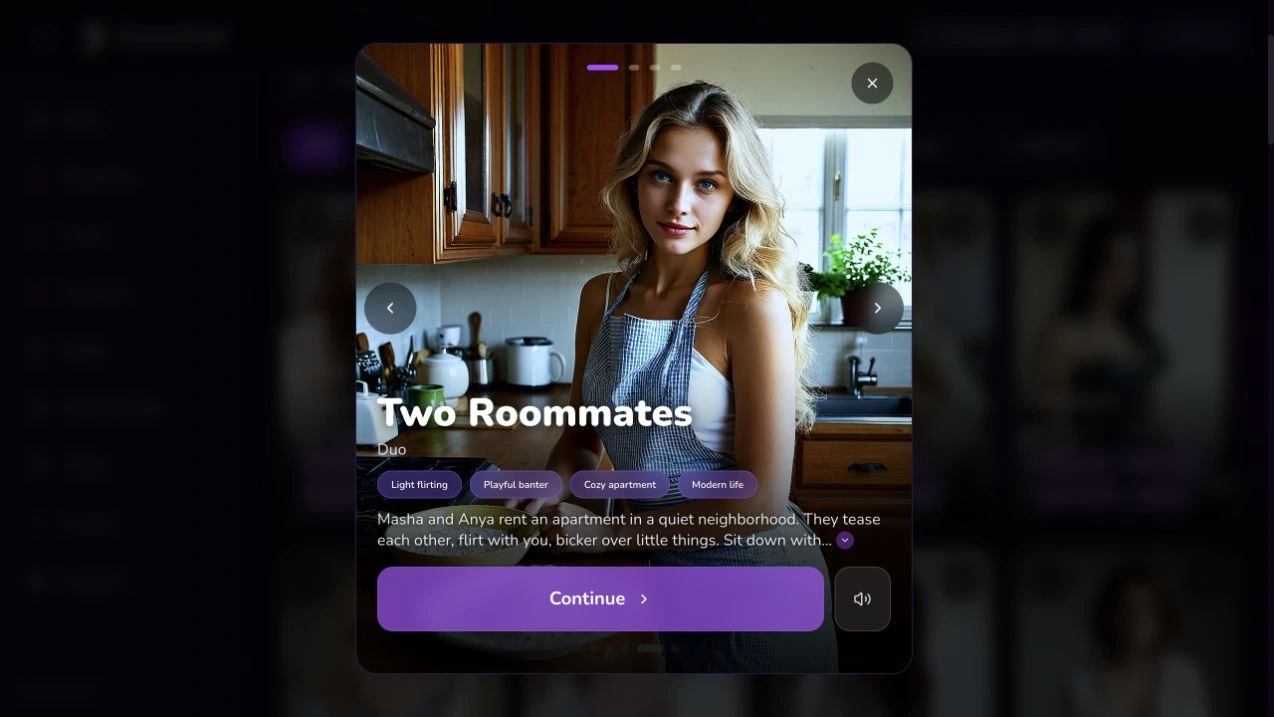
HoneyChat has group cards for an established ensemble and world cards for a wider story. Start with the cast described on the card and see how you fit into its opening. That is a useful first step before spending an evening building elaborate relationships from scratch.
Ready-made groups



Choose a shared scene, not a collection of separate chats
Talking to several characters in separate tabs is different from asking them to share an event. In a shared scene, one person’s refusal can interrupt another person’s plan. A comment addressed to the quiet observer can make the impatient organizer react. The interest comes from that interaction, rather than simply getting a longer answer.
Read the card’s description before starting. A group comes with its own cast and premise; this page does not promise that you can import any collection of favorite characters into it. A world gives a narrator more room to introduce locations and other people. The HoneyChat format guide explains how those experiences fit alongside single-character chats.
Which starting point fits your idea?
| Single companion | Ready-made group | World | |
|---|---|---|---|
| Main focus | One relationship | A shared cast | A setting and unfolding events |
| Useful opening | A personal question | A disagreement everyone shares | A task that leads somewhere |
| What to check | Personality and tone | Who is in the cast | Premise, narrator, and world settings |
If you are still deciding whether you prefer long narration or short conversation, the roleplay platform guide is a better place for that broader comparison. Here, start with one practical requirement: the people you want to hear should actually be part of the same scene.
Give each person something different to want
Different hair colors do not create different voices. Motives do. Someone wants the room opened now; someone wants proof it is safe; someone wants to hide a mistake. Those priorities produce different responses even when the characters discuss the same object.
For an existing HoneyChat group, discover the differences already written into its premise. Ask a question that lets those differences surface. You do not need to replace the cast’s established personalities with a page of new instructions. When creating your own character or cast, the custom character guide helps separate personality, backstory, and the opening situation.
Three anchors for a readable ensemble
A reason to stay
Each person has a stake in the shared problem.
A recognizable voice
Sentence length, manners, and attention differ without becoming a repeated catchphrase.
A boundary of knowledge
A character should not automatically know a conversation they never heard.
The original observatory example in this guide is a writing exercise, not a HoneyChat transcript or a catalogue card. Its value is the pattern: one shared problem with several personal stakes. You can use that pattern in a group whose existing setting supports it.
Make your first message easy to answer
A broad instruction such as “everyone have an interesting conversation” leaves the model to invent the conflict, the speakers, and often your role. Give the scene a small immediate task instead. Ask who should hold the key, who noticed the broken window, or whether the group can agree on a departure time.
An original starter to adapt:
Keep the existing cast and setting. I place the recovered key on the table and ask who last used it. Let the people who have a reason to answer speak under their own names. They may disagree. Do not invent an answer or an action for my character, and stop while I still have a meaningful response to make.
The prompt asks for a readable exchange without dictating everyone’s speech. It also leaves room for silence. A character who has nothing to add does not need to repeat what the previous speaker just said. Address someone by name when you want to invite them into the conversation; this is an instruction in your message, not a claim that HoneyChat has a particular manual speaker-selection control.
Build one exchange at a time
Read the cast
Notice the relationships and tensions already present in the group description.
Introduce one shared question
Use a decision, an object, or a small disagreement everyone can understand.
Keep your own turn
Describe what you say or attempt; ask the narrator to leave your response open.
Follow the reaction
Answer the person whose response changed the situation, rather than resetting the conversation.
Keep canon, scene direction, and relationships separate
HoneyChat already has memory facts, a story journal, and a scene directive. In worlds, NPC reputation adds an individual relationship signal. These tools help longer scenes, but they are not interchangeable and do not guarantee perfect recall.
Use the story journal, from Premium, for established events and agreements: the key is on the table; the engineer has admitted entering the observatory; the scout has not heard that admission yet. Use the scene directive, from VIP, for how the scene should be played: let people disagree, keep the tone restrained, and leave your character’s decisions to you.
Memory facts can preserve selected details. Check them when a repeated mistake keeps returning. Editing is subject to plan limits; manually creating facts is an Elite feature. A factual note should state something that has actually become true in your story. An idea for a future betrayal belongs in your planning, not automatically in the established history.
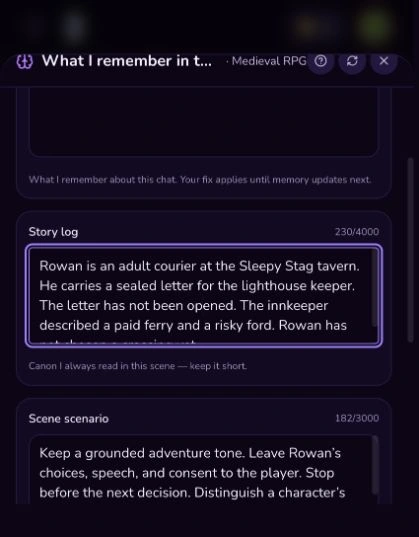
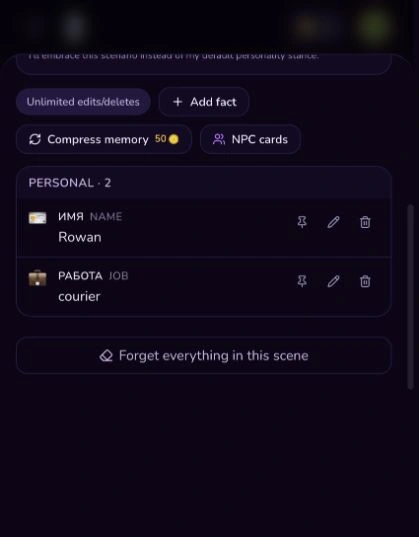
For a world with NPC reputation, read it as relationship context. A high value is not an instruction that someone must agree with every request, and a low value should not be treated as a combat roll. It can support a scene in which different people trust you for different reasons. Availability and presentation depend on the card and your account; the guest preview does not expose every persistent-memory tool.
A small knowledge map prevents a large muddle
Consider this original note:
Shared: the observatory is locked. Known only to the engineer: the machine was running yesterday. Known to my character and the scout: there are fresh footprints outside. Still unproven: who moved the key. Current decision: whether to inspect the building together.
That is more useful than asking the AI to “remember everything.” It states the difference between public information, private information, and a guess. Do not give every character the same secret unless your story has actually made it public.
If a person suddenly knows too much, correct the local error: “The navigator was outside during that conversation. Continue without giving him that information.” If the same error is stored in an active note, correct the note too. You can then continue the exchange without rewriting the cast’s entire history.
When a group scene becomes hard to follow
Voices start to merge
Ask for speaker names and remind the scene of each person's immediate priority.
Secrets become public
State who knows the fact and who has not learned it yet.
Your character acts without you
Return to the last decision and ask for reactions, leaving your action open.
Choose the pace of the conversation
An ensemble does not need every person to speak in every answer. For a quiet scene, ask for a brief exchange and a pause. For a lively one, allow a short interruption or reaction, then bring the turn back to you. Reading a wall of dialogue is less enjoyable when the decision you wanted to make happened halfway through it.
Romance can remain a slow part of the story rather than its automatic destination. State whether you want friendly banter, gradual attraction, or a plot-focused scene. The romantic roleplay guide explores that tone in more detail. A scene directive guides narration; it does not bypass the content limits of your plan.
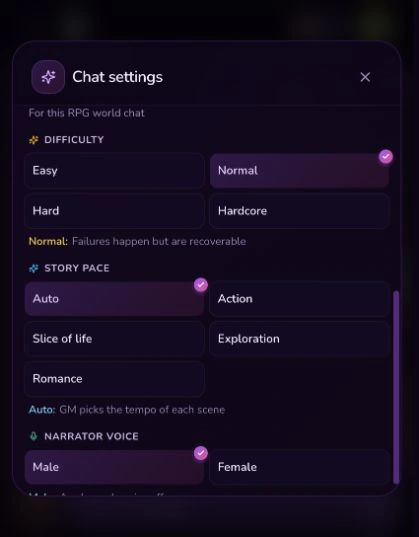
RPG features in development
HoneyChat is developing optional RPG inventory and d20 checks for world chats. The planned flow shows difficulty and a modifier before the roll, then continues the scene from the result. These features are not yet available, and a release date has not been announced. Facts, journal, directive, and world reputation can already help keep a shared story consistent.
Try a cast before planning a saga
A useful first session answers a small question. Can these people disagree in a way you enjoy reading? Do their responses give you somewhere to enter the scene? Can you tell who is speaking without checking the card again? Those observations matter more than how many fictional people you can list in a prompt.
For the next visit, preserve the last agreement and the unresolved question. Avoid a recap that turns every uncertain suspicion into a fact. If you want a different premise altogether, begin a fresh experiment instead of forcing an established group to abandon everything that made it recognizable.
HoneyChat’s Free plan includes 20 messages per day. That is a starting allowance, not a promise that every memory, model, or media feature is free. The story journal starts at Premium, the scene directive at VIP, and manually added facts at Elite. Media quotas remain separate. See the pricing explanation before choosing a plan for a longer project.
Access for story features
Free account
Twenty messages per day. Guest previews have separate limits.
Premium and above
Story journal; text and media allowances are separate.
VIP and above
Scene directive for the current narration.
Elite and above
Manually add memory facts; editing also follows plan limits.
HoneyChat gives you a cast and a place to join it. Bring one question, let different motives produce different answers, and keep your own response open. A shared scene starts to feel alive when people have reasons to disagree and you still have room to change what happens next.
Further reading
SillyTavern’s group-chat guide documents another system’s speaker strategies. Lizlis describes its ensemble format, while AI Dungeon explains story cards. Their specific controls belong to those products; the examples and scene-writing advice above were written for this guide.