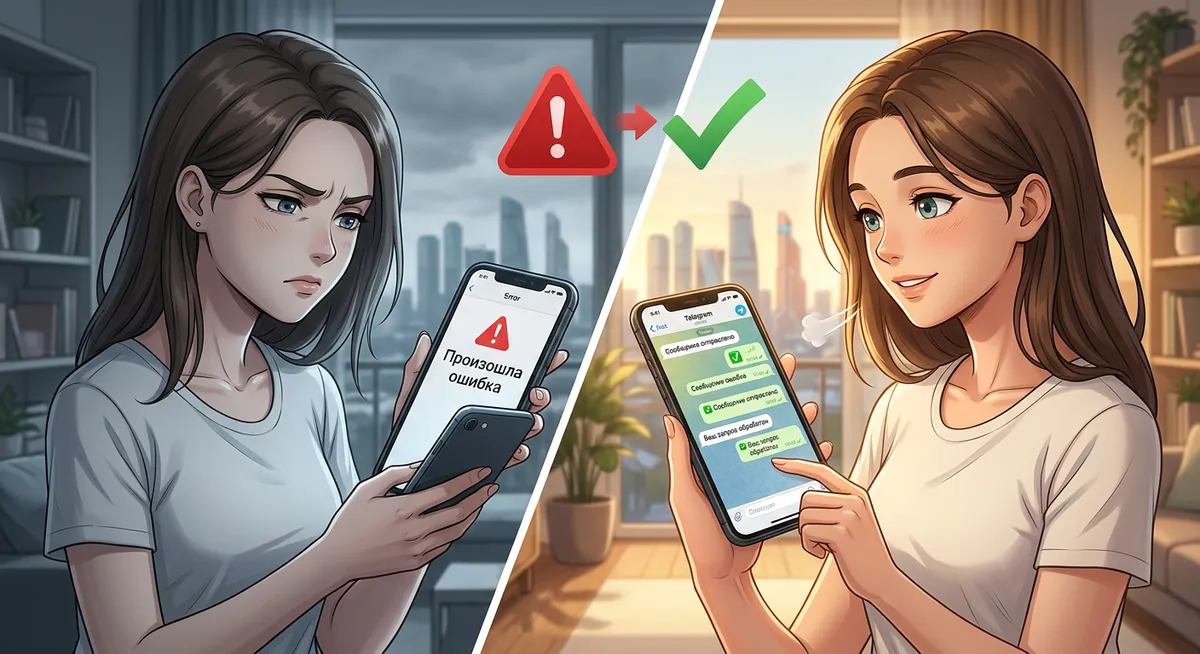
A buddy texted me this morning: “Yo, Polybuzz won’t open, it’s just black. Is it down?” Same week, my own Polybuzz on iOS started showing ‘no connection’ even though my Wi-Fi was fine. It is clearly a recurring problem, so I went through every fix I could think of on Android, iOS, and the polybuzz.ai web version. Here’s what actually works, ordered by likelihood, plus one option that doesn’t depend on Polybuzz being up at all.
Quick honest pitch before the long version: if you’re tired of debugging Polybuzz every time it breaks, the obvious move is “use something that breaks less.” HoneyChat runs on Telegram (@HoneyChatAIBot — Telegram has 99.9%+ uptime) and at honeychat.bot in browser (clean CDN, no ISP throttling pattern). There’s no native app to crash on update because there isn’t one. 80+ LoRA-trained characters, voice in 15 languages, memory across sessions on every paid tier, $4.99/mo Basic flat, 20 free messages/day with full features. No coins, no ad-paywall, no Dreamcoins. Detailed Polybuzz fixes follow.
Characters in HoneyChat — no install, no crash on update




Why Polybuzz outages happen (and how often)
Before diving into fixes — a quick reality check. Polybuzz isn’t an unstable platform overall, but it has a specific pattern of outages that’s worth understanding so you can predict them.
Polybuzz’s parent company (Singularity Mutual Entertainment Culture, Singapore) operates on a fast-shipping schedule. New character generation features, blur logic changes, payment system tweaks ship roughly every 7-14 days. Each ship cycle carries a small risk of breaking something — and Polybuzz scales to 988K+ Google Play installs, so even a 0.5% failure rate means tens of thousands of broken sessions per day after a bad push.
Three observable outage patterns:
- Day 0 of a new app version — install completes but chat won’t load. Usually a misconfigured CDN cache or missed asset bundle. Fix: wait 6-24 hours, Polybuzz pushes a hotfix automatically.
- CDN issues affecting specific regions — Polybuzz uses Cloudflare for most assets. When Cloudflare has a regional incident (~once a month, look at cloudflarestatus.com), Polybuzz appears broken for users in that region only. Nothing you can do; wait it out.
- Saturday-night peak overload — Saturday 9PM-1AM in major timezones consistently overloads Polybuzz’s chat infrastructure. Messages send but responses take 30+ seconds. This is the most predictable issue and most expensive to fix (would require Polybuzz to provision 3× normal capacity for peak hours).
If you can match your “not working” experience to one of these patterns, you can predict whether it’ll fix itself or whether you need to take action.
Step 1: is Polybuzz actually down for everyone, or just for you?
Two ways to check:
- r/polyai recent threads (reddit.com/r/polyai/new) — sort by new, look at the past hour. If 5+ people posted “is it down,” real outage.
- downdetector.com — search for “polybuzz.” Has a 5–15 minute lag but shows aggregate user reports.
If neither shows mass reports, the issue is on your end. Continue down the list.
Step 2: try the cheap fixes first (in order of likelihood)
I keep a mental priority list because Polybuzz issues cluster heavily into a few categories. ~60% of “not working” cases I’ve seen are cache/install issues, ~20% are network/ISP, ~10% are server-side waiting, ~10% require a real workaround.
Force-quit Polybuzz
Recent apps screen → swipe Polybuzz away. Open it again. Resolves ~30% of black-screen cases caused by interrupted asset loading.
Reboot the phone
Especially after an OS update or if you've left the phone on for 2+ weeks. Resolves a chunk of 'app won't open' cases caused by leaked memory in the system.
Clear app cache (NOT data)
Android: Settings → Apps → Polybuzz → Storage → Clear Cache. iOS: no equivalent — go straight to step 4 if step 1+2 didn't help. Clearing data signs you out and loses local prefs; clearing cache only deletes temporary files, your account stays signed in.
Reinstall from official store
Uninstall, then reinstall from Google Play (ai.socialapps.speakmaster) or App Store. ~60% of 'not working' cases resolve here. You don't lose chat history (it's server-side).
If still broken — wait 24h or check r/polyai
If reinstall didn't fix and r/polyai shows mass reports, you're waiting for Polybuzz's team to fix it. Could be a few hours, could be 2–3 days.
Specific problem types and what they mean
Black screen on launch
App opens, shows logo briefly, then black. Nothing happens.
Usual cause: stuck cache, or download interrupted during last update.
Fix order: force-quit → reboot → clear cache → reinstall. Resolves ~85% of black-screen cases by step 4.
”No connection” / “Server unreachable”
App opens fine, you can browse the catalog, but tapping a chat throws “no connection” or “server unreachable” or just spins forever.
Usual cause: Polybuzz’s servers are reachable from some networks but not yours. Sometimes their CDN (parts on Cloudflare) gets throttled by specific ISPs.
Swap network
If you're on Wi-Fi, switch to mobile data (4G/5G). If on mobile, try Wi-Fi. ~70% chance one of them works when the other doesn't.
VPN test
If both your home networks fail, route through a VPN — Outline, Proton, Mullvad, NordVPN. Try EU exit first (lower latency). If VPN works, your ISP is the issue.
Change DNS
Switch your Wi-Fi DNS to 1.1.1.1 (Cloudflare) or 8.8.8.8 (Google). Sometimes ISP DNS resolves Polybuzz endpoints to broken IPs. Quick to test.
Just wait
Polybuzz doesn't run a status page, but their CDN issues usually resolve within 24h. If everything else fails, give it a day.
App crashes after the latest update
Polybuzz updates from Google Play / App Store, then won’t open. This usually happens at major version bumps (2.0 → 2.1, 2.1 → 2.2).
Fix: roll back to the previous version.
Find the previous APK
APKMirror.com or Trashbox.ru — search Polybuzz. Pick the previous stable (e.g. 2.1.x if 2.2.x is broken).
Install on top
Don't uninstall current first — install the older APK on top. Android allows downgrade if package signature matches. Data and login preserve.
Disable auto-update
Google Play → Polybuzz listing → menu (3 dots) → Auto-update → off. Otherwise it'll re-update and break again.
iOS users — wait for patch
Apple doesn't allow downgrading without a jailbreak. If you're on iOS and the latest Polybuzz is broken, you wait for them to ship a fix. Average wait: 3–10 days.
Can’t sign in / login fails
Multiple causes:
- Google account region — if your Google account country is set somewhere Polybuzz doesn’t publish, OAuth fails. Fix at play.google.com → Account → Payments → Country.
- Server temporarily not accepting OAuth — wait 30 minutes, retry. Polybuzz’s auth service has occasional downtime.
- Account flagged for ToS — NSFW reports, mod APK detection, suspicious activity. This is usually permanent. Their support response is 5–10 days and often unhelpful. You’ll need a new account.
Subscription paid but premium not active
You paid for Basic/Premium/Ultimate, the card was charged, but the app still shows free-tier features.
Fix: force-quit and reopen — Polybuzz refreshes subscription state on app launch. If that doesn’t work, sign out and back in (settings → log out). Webhook from payment processor sometimes lags 5–15 minutes.
If still no premium after an hour, contact support with your transaction ID. Usually resolved within 24h.
”Take a Little Break” pop-up won’t go away
After ~5 messages on the free tier, Polybuzz interrupts with a “Take a Little Break” upsell. It’s deliberately friction-y — designed to push you toward subscription.
Fix: there isn’t one cleanly. You can dismiss each time (3-4 taps) and keep chatting, but the cadence resets every 5 messages. The only way to remove it: Basic subscription ($9.9/mo) or higher.
If the pop-up frequency feels worse than usual (every 2-3 messages instead of 5), that’s an A/B test variant Polybuzz is running on your account — sometimes resolved by signing out / back in to land in a different test bucket.
Old chat history disappeared after update
You opened the app after an update and a specific chat from weeks ago is missing.
Fix: check Archive in the conversation list (some users report Polybuzz auto-archives long-inactive chats, especially after a major version update). If it’s not in Archive, the chat is most likely on Polybuzz’s servers but not loaded on your client — sign out and back in usually re-syncs. If a chat is truly gone (rare but happens after specific bugfixes), contact support with the character name and approximate date — they sometimes can restore from backup within 7 days, no guarantees after that.
See Polybuzz deleted chats explained for the broader pattern.
What I do when Polybuzz keeps breaking
I’ve used Polybuzz on and off for about 18 months. Same observation every time: it’s mostly fine, until it isn’t, and the troubleshoot loop gets old fast. The pattern looks like this:
- App works for 2–3 weeks
- Update ships, app breaks
- Spend an hour debugging
- Fix it (or wait for patch)
- Works for 2 weeks
- Different problem (CDN, login, paid tier glitch)
- Goto 3
After enough loops I started keeping HoneyChat as my primary daily driver. Not because Polybuzz is bad — but because not having a native app means there’s nothing to update-break. Telegram already has my account, the bot is just a conversation. The web at honeychat.bot syncs with the same backend.
It’s not a Polybuzz killer on catalog (80+ vs 20M+ characters is not close), but on “platform that doesn’t waste your time on troubleshooting,” it wins.
When you should switch from Polybuzz, not just fix it
Some signals that the platform isn’t worth the effort:
- You’ve troubleshot the same issue more than 3 times in 6 months
- Updates regularly break the app for you and you can’t easily downgrade
- Your ISP is consistently dropping Polybuzz CDN traffic (and you don’t want to run VPN 24/7)
- You can’t reliably get the foreign-card subscription to charge your card
- Your account got flagged and support won’t unblock it
- The “Take a Little Break” ad-paywall has eroded the actual chat experience past the point of fun
If 2+ of these apply, it’s switch territory.
Polybuzz vs HoneyChat — uptime / reliability comparison
Reliability comparison: Polybuzz vs HoneyChat
| Polybuzz | HoneyChat | |
|---|---|---|
| Native app required | Yes (~96 MB) | No (Telegram + browser) |
| Crash on update | Sometimes (2.x → 2.1, etc) | N/A — no app to update |
| ISP CDN throttling | Periodic (Cloudflare CDN) | Rare (different CDN profile) |
| Sign-in failures | OAuth + region issues common | Telegram 1-tap, no OAuth issues |
| Account ban risk | Mod APK detection | No mod APK ecosystem (no app) |
| Status page | No | No (Telegram-status as proxy) |
| Cross-device sync | Server-side, can lag | Real-time across TG + web |
| Time to debug per outage | ~30–60 min average | Near zero (use other surface) |
Pros
- No native app means no crash on update
- Telegram bot + browser web — both synced, redundant access
- 99.9%+ effective uptime via Telegram
- Free tier (20 msg/day) actually usable for sanity-check
- Sign-in via Telegram = no OAuth region issues
- $4.99/mo Basic — half of Polybuzz Basic
- 6 switchable NSFW levels (0-5)
- Voice in 15 languages (Inworld TTS-1.5 Max)
Cons
- Smaller catalog (80+ vs Polybuzz's 20M+)
- No native mobile app (Telegram + web only)
- Video on tier limit (Basic 2/mo, Elite 16/mo)
- Newer brand outside RU/EN markets
Bottom line
Most “is polybuzz down” cases are actually local — cache, network, or version. The fix order is force-quit → reboot → clear cache → reinstall, which resolves ~85% of cases. If reinstall doesn’t help, check r/polyai or downdetector to confirm if it’s a real outage; otherwise wait 24h.
If you keep ending up here every few weeks, that’s a signal the troubleshoot cost is exceeding the value Polybuzz gives you. Switching to a platform without a native app to break (HoneyChat on Telegram + browser, or Character.AI free for those who don’t need NSFW) saves the hours over the long run.
Related: Polybuzz review — pricing and features, Polybuzz download safe guide, Polybuzz deleted chats / memory limits fix, why mod APKs don’t work.